How do we work with absolute value on this calculator?
There are two ways to deal with the absolute value
function on this calculator.
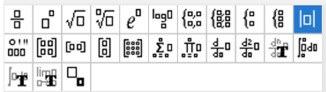
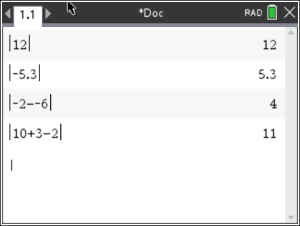
Method 1: Press the Template Button
(next to the "book")
and select the absolute value template (right end of top row).
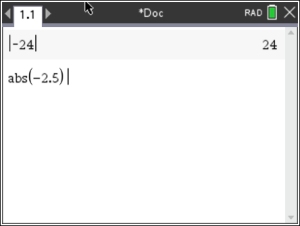
Method 2: You can also type the letters "abs" directly from the alphabet keypad, followed by a left parenthesis. Enter expression and close parenthesis.
This method can be used in both "Calculate" and "Graph" applications.
The "abs(-25)" will be transformed to | -2.5| when you hit .